

Managing stock values at lot or serial number level is a more advanced inventory management solution that allows companies to more accurately track and value their inventory at a more precise level than traditional methods of globally determining the value of inventory based the product type (e.g., furniture).
Valuation based on lot or serial number will provide companies with an item cost centered on the specific lot/serial number, item movement history and assist with the tracking of inventory through the use of cost methodologies (i.e., FIFO or specific identification), and in the monitoring of inventory aging and ease of processing returns/recalls to execute a business in compliance with auditors' standards.
At a high level, managing stock values at lot or serial number levels provides improved reporting accuracy, increased length of traceability for the items in inventory, and provides support to decision makers for operational and accounting management.
To use valuation by lot or serial number in Odoo 18, you must first enable product tracking.
Go to the Inventory app → Configuration → Settings. Under the Traceability section, enable Lots & Serial Numbers, then save the changes.
This allows products to be tracked with unique lot or serial numbers, which is required for accurate valuation at that level.
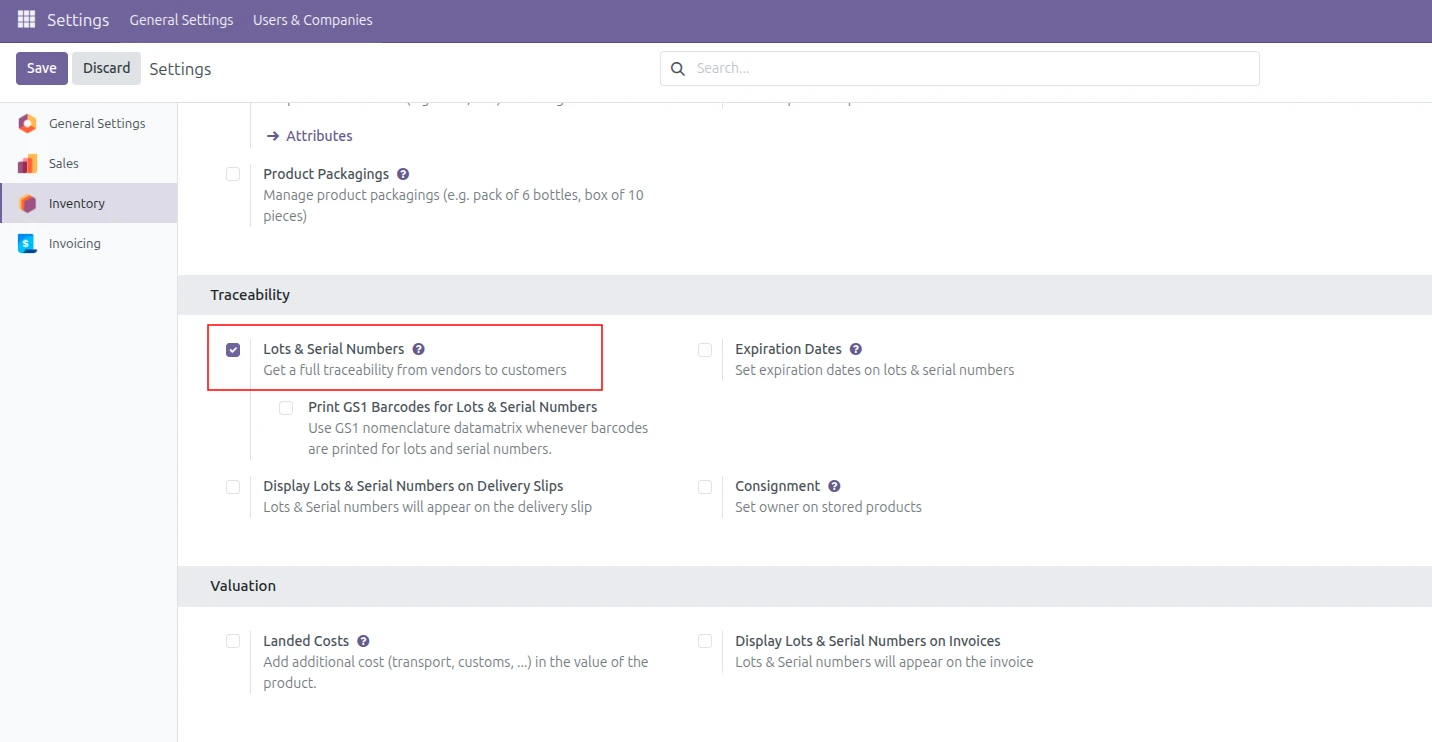
Now let us see how Lot and Serial Number Valuation works in Odoo 18 using an example.
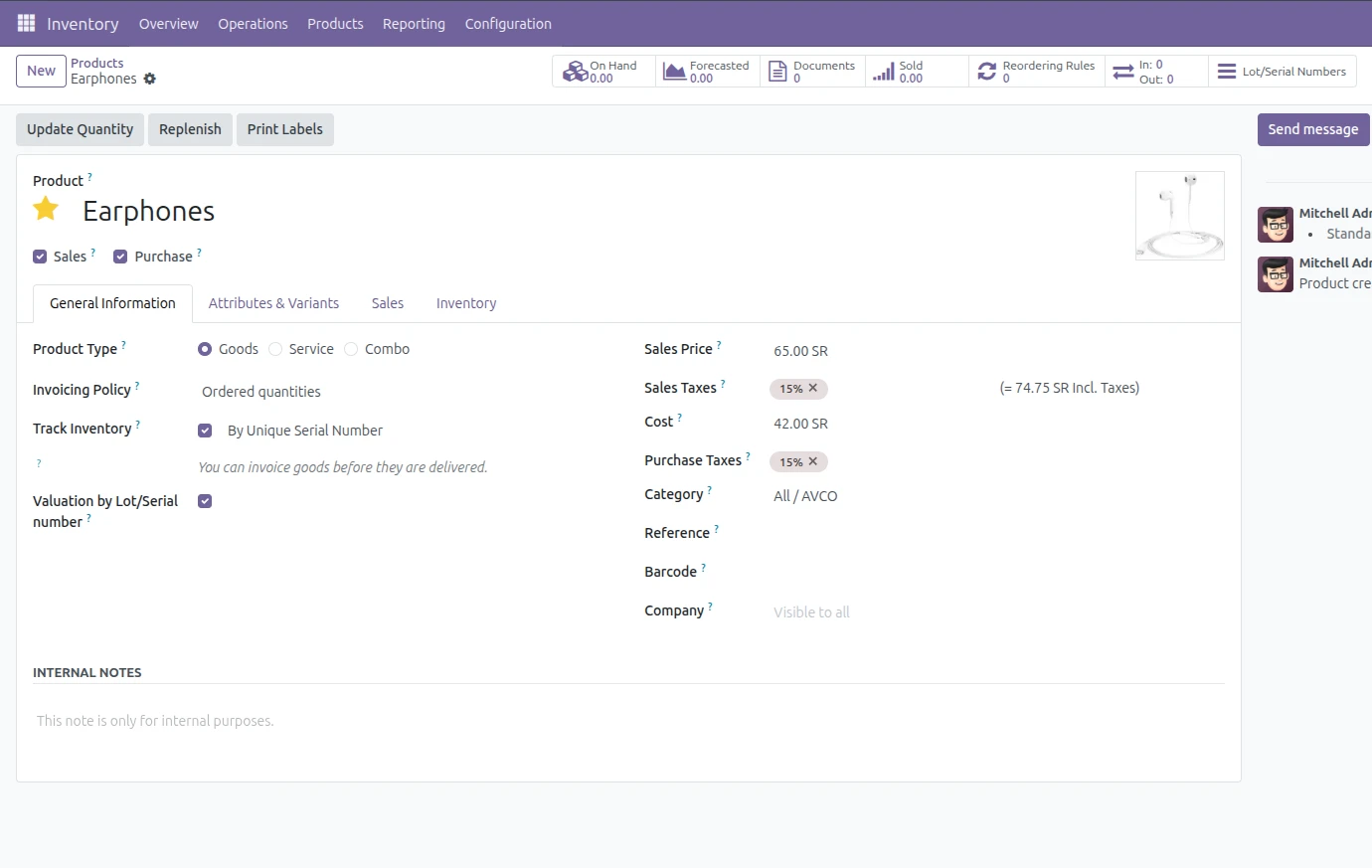
The first step is to create the product, as an example. Within the settings of this product, enable the checkbox for Track Inventory and select the By Unique Serial Number option for Tracking Method.
To allow users to distinguish between the value of each individual serial number, you need to enable the “Valuation by Lot/Serial Number” option. This enables you to assign a value to each serial number based on its respective cost.
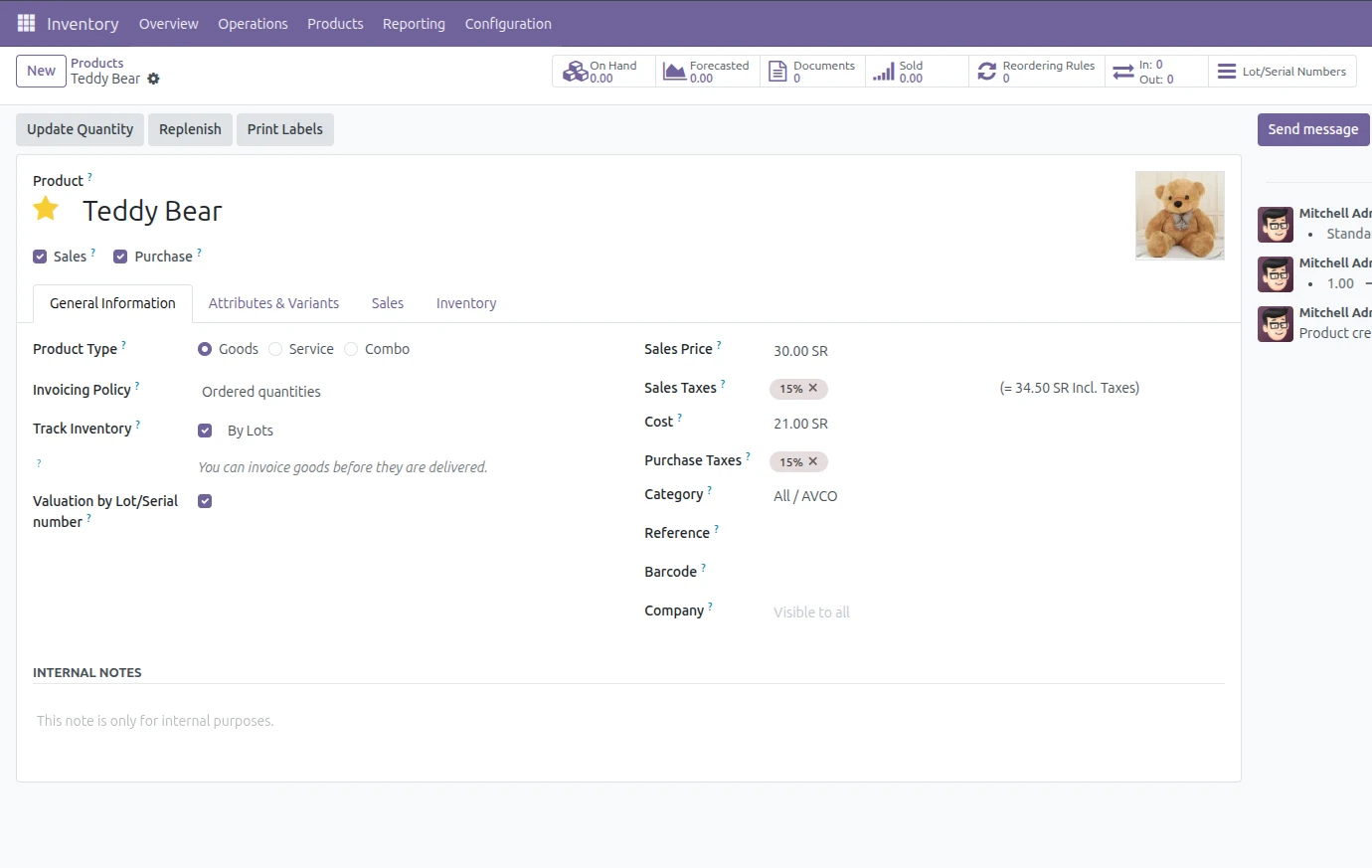
Next, build another product and set it up using Track Inventory with By Lots for tracking and by Lot/Serial Number for Valuation. This allows for every lot to be tracked separately (in terms of valuation) based on the costs specific to each lot and will produce a more accurate inventory valuation and financial tracking.
The products in the inventory need to have an associated costing type configured in their product category for valuation by lot or serial number to work. This will only work with FIFO (First In, First Out) or Average Cost (AVCO) costing methods in Odoo 18.
To configure it, go to Inventory => Configuration => Product Categories, choose the product category you want to set the costing method for, and then select either FIFO or Average Cost. Set Inventory Valuation to "Automated" if you want to generate automated accounting entries.
Once this configuration is made, Odoo will be able to maintain multiple valuation layers for each lot or serial number, allowing you to accurately track the cost of items as they are moved through the inventory. Without a supported costing method, you will not be able to properly use lot-based valuation.
Next we can create a Purchase Order
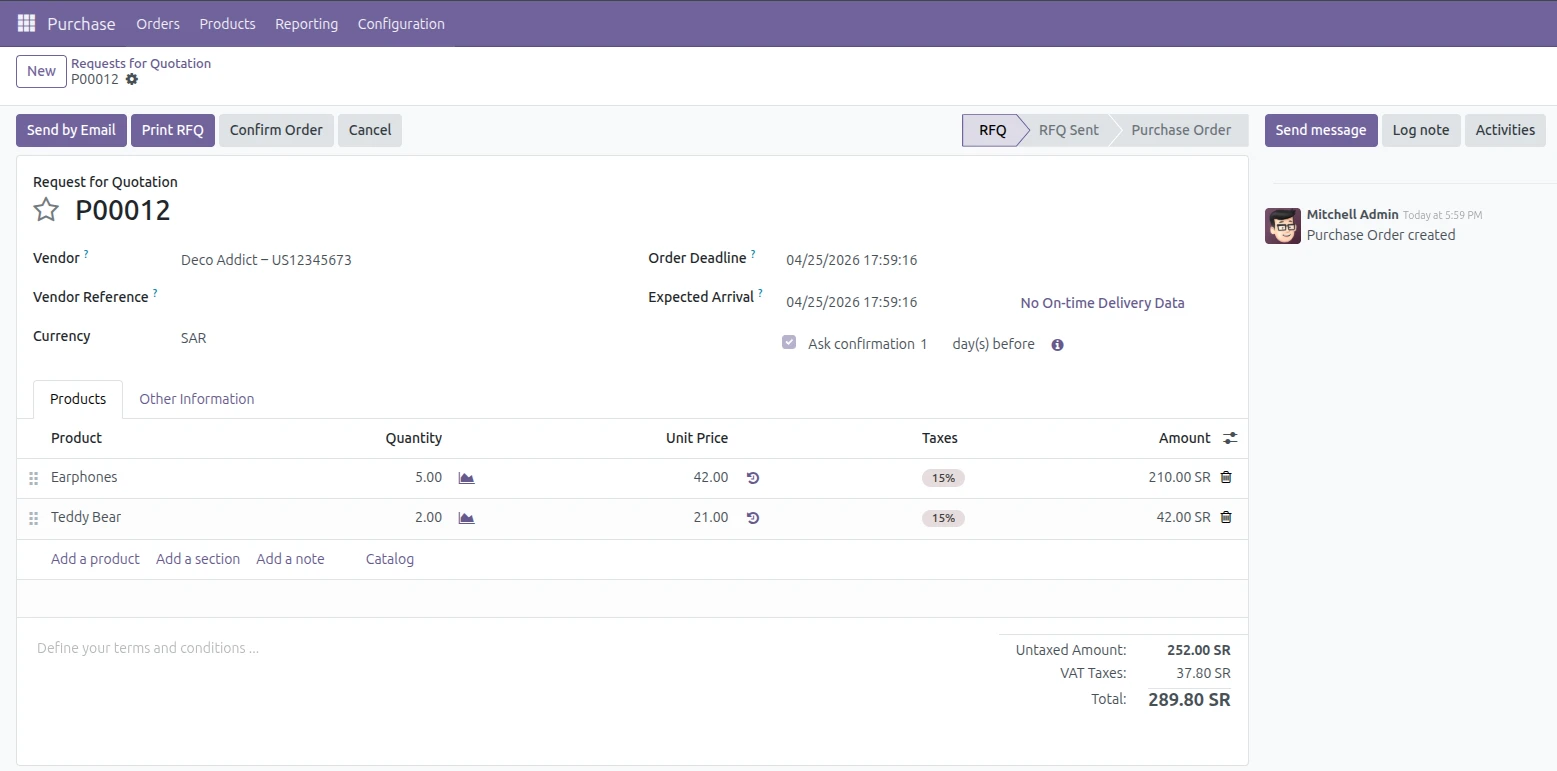
After you have received the items for your product, the first step before processing them into the system is to assign serial numbers for the earphones and a lot number for the teddy bear according to the tracking settings for each product. This process will allow Odoo to track and value each item in the inventory or provide a value for each batch of products separately.
The earphones will have their own unique serial number assigned when they are received so that each earphone is given an individual tracking number and an individual value reflected in the inventory.
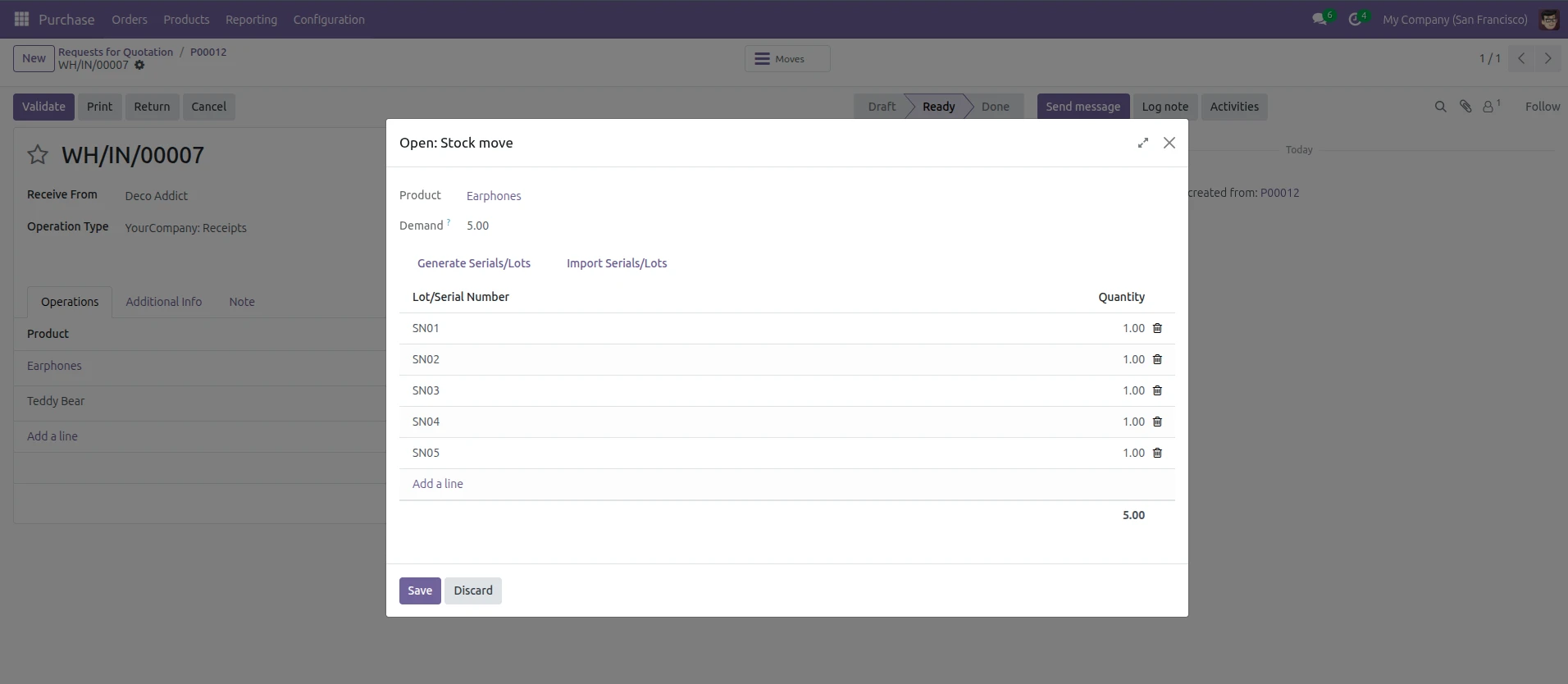
The second product we tracked by Lot Number contains one Lot Number for the total quantity. This allows Odoo to create a grouping of the product in Lot Number, but retain an individual valuation layer by batch.
After receiving the products create one more purchase order for the same products, with different prices.
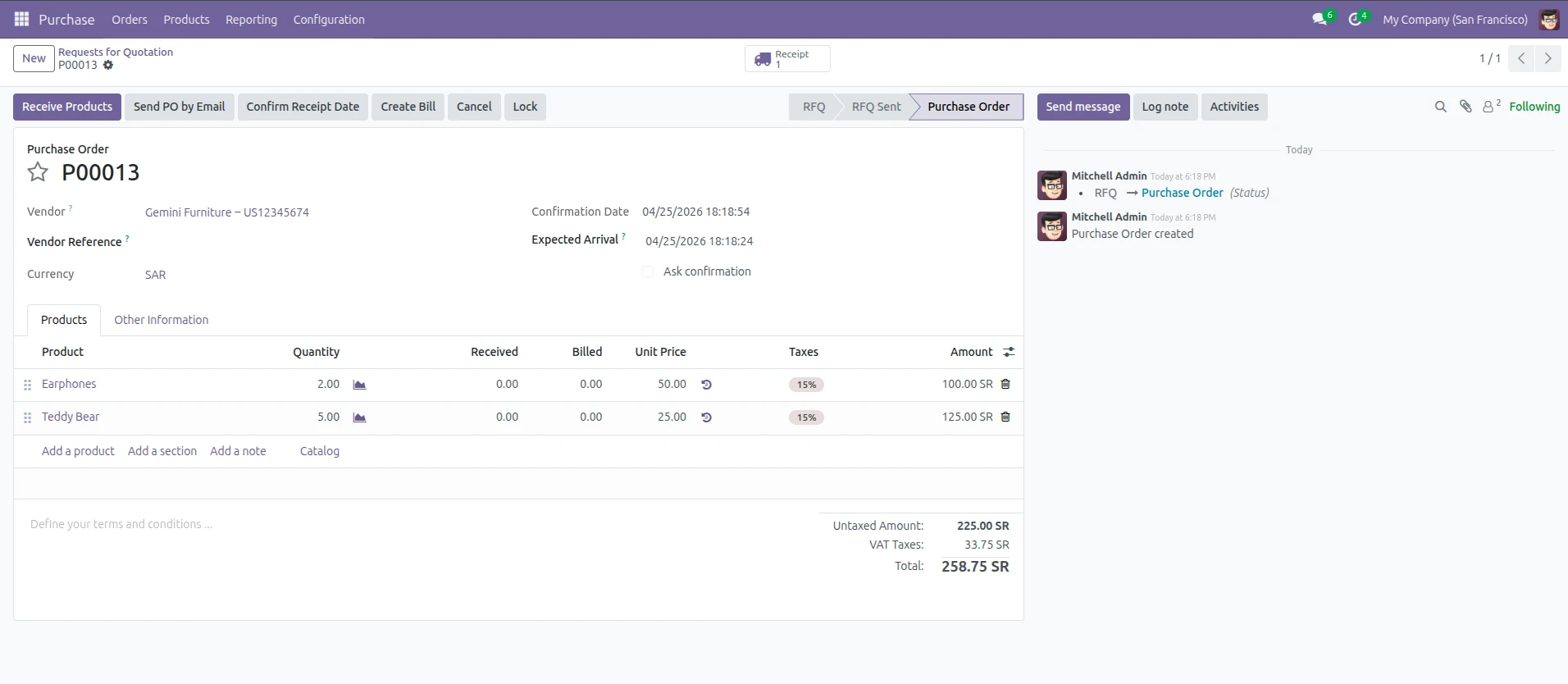
When we received the second order for Product A, we assigned all units a new serial number to distinguish them from the first order. Each of the 10 units that were ordered from Product B also received a new lot number.
In addition to tracking location separately for both orders, Odoo can account for the total cost of each order using these serial numbers (and lots).
All the serial numbers (and lots) for Product A met Odoo's serial tracking requirements by assigning two new serial numbers to the two units that we received from the second PO. They were then able to be tracked and valued individually as well as by location.
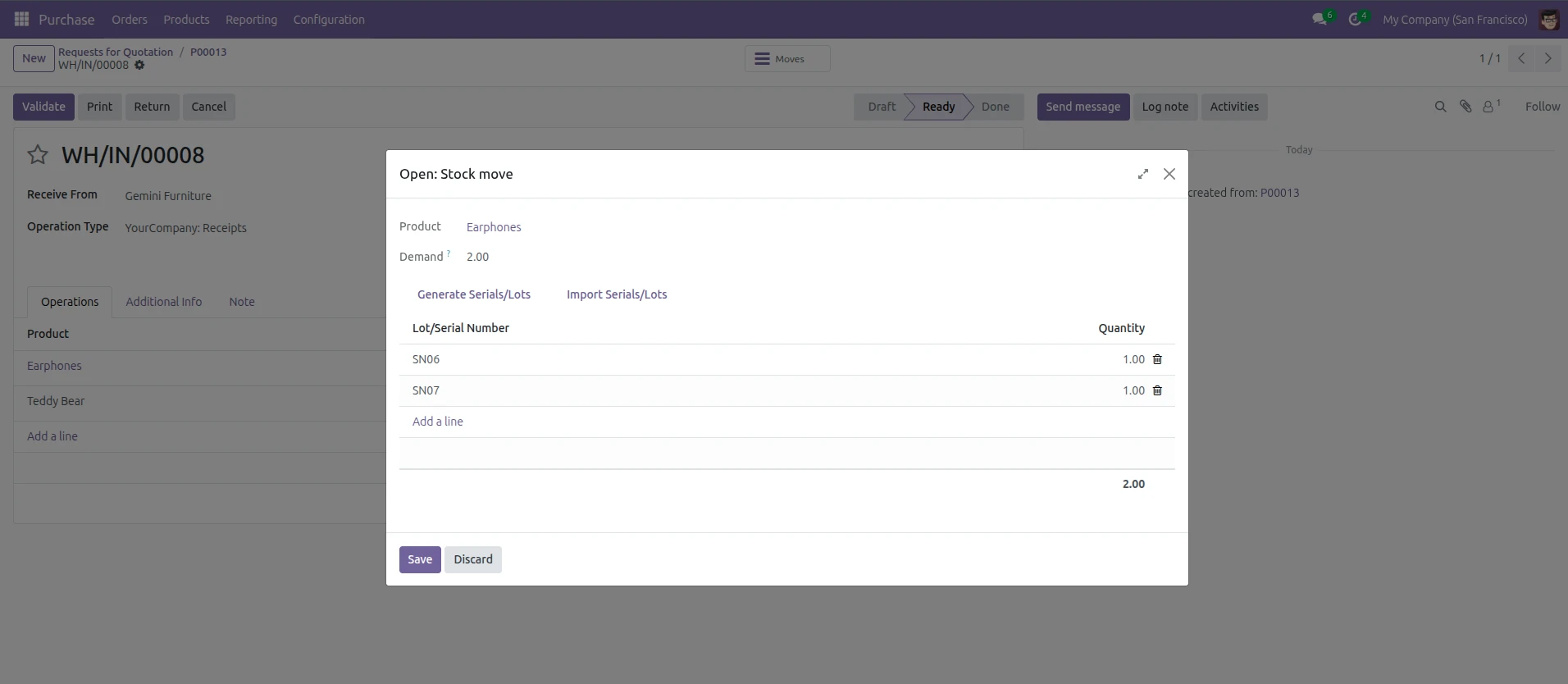
The second product, Teddy Bear tracked by Lot Number, contains one Lot Number for the total quantity. This allows Odoo to create a grouping of the product in Lot Number, but retain an individual valuation layer by batch.
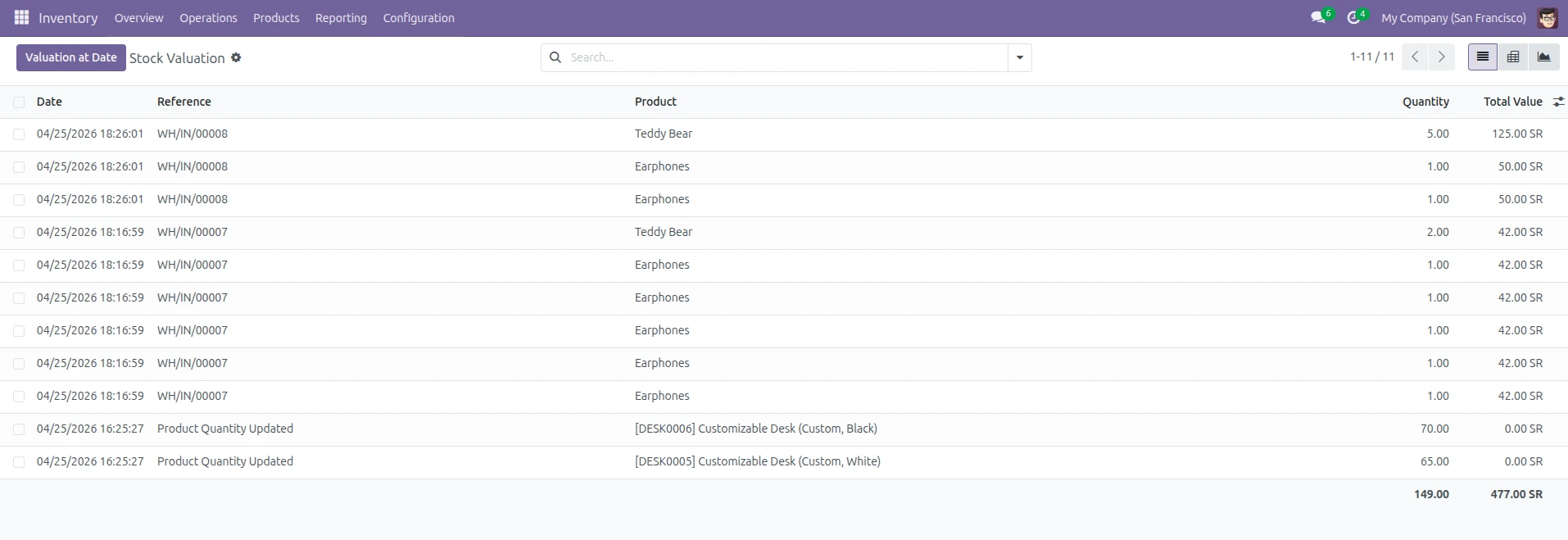
Odoo 18 allows tracking of product valuation by each lot and serial number easily using Inventory Valuation Report after receiving goods and validating picking, view this report using the Inventory app via Reporting => Valuation. This report contains detailed records of current values for inventory, items tracked via Lot or Serial Number, and costs attributable to each Lot/Serial Number.
If products that you represent have multiple costs, e.g. different lot/serial number costs, then this tool is paramount to you continuously maintaining transparent and accurate financial records.
Once the products received are at your warehouse, you can then test how the values are calculated at the time of sale. Odoo's COGS valuation is based on the specific lot or serial number that was chosen on the delivery.
For testing, create a sales order for Product A with a quantity of 1 using the items received in the previous step and then confirm the order.
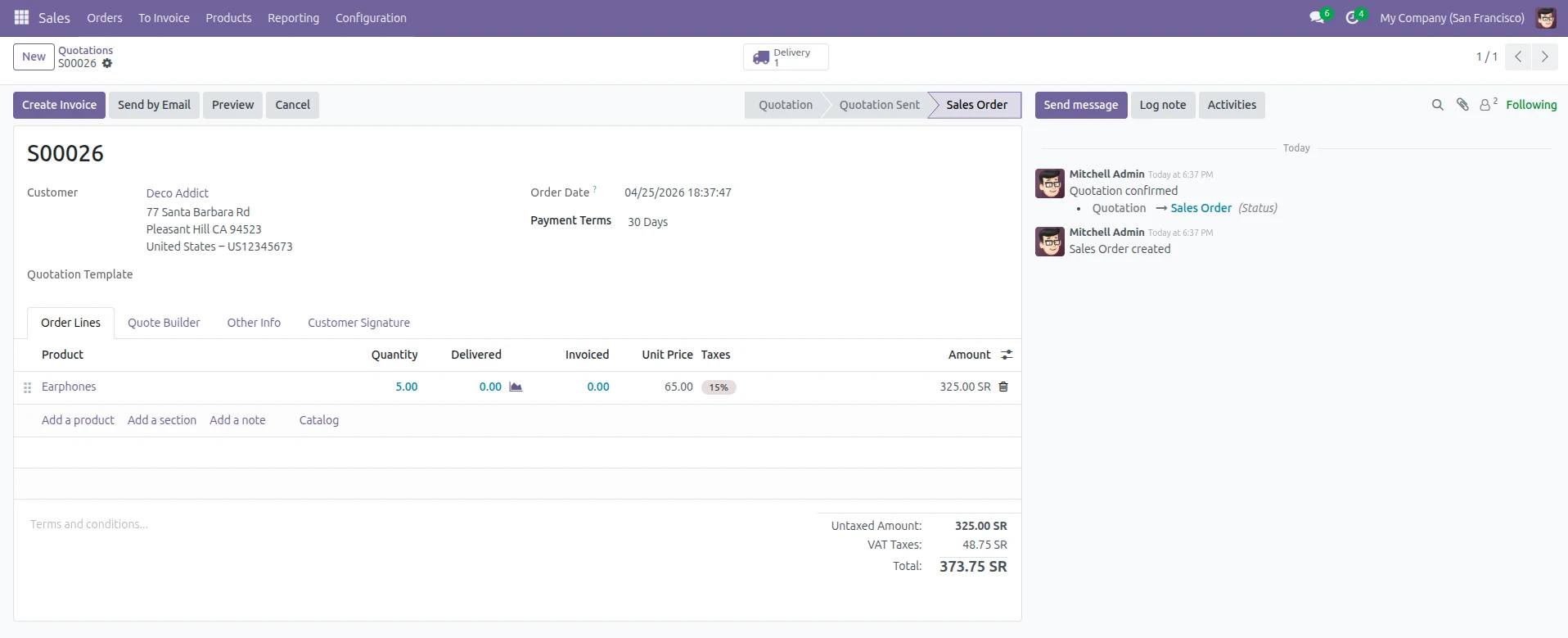
Now a sale order is created to 5 quantities of the product.
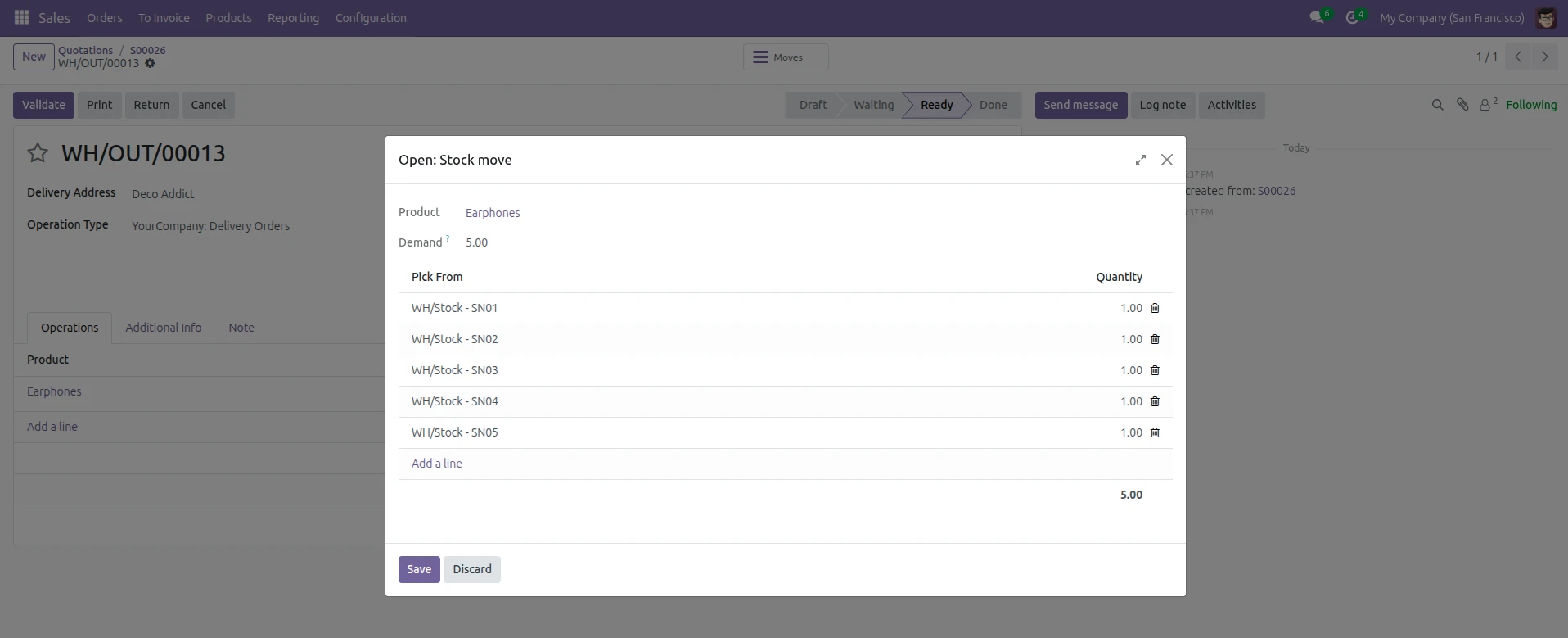
In the delivery, the first 5 serial-numbered units of the product are dispatched.









Leave a comment