

Odoo 19's Recruitment Management Module provides you with an automated recruitment process as opposed to filling out resumes and scheduling interviews. Businesses today require a structured, transparent, and trackable recruitment process that aligns with human resource strategy and increases company growth. Odoo has continued to enhance the product line used in their human resources ecosystem by introducing a streamlined user-friendly experience for recruiting with their new recruitment module. In this blog post we will cover how to configure Odoo's recruitment module, and we will also discuss the complete cycle of hiring from creating a job position to onboarding your new hire.
Creating a Job Position
To begin the recruitment process, you have to create a job position.
To create a job position, go to: Recruiting → Configuration → Job Position → Create New Job Position.
When creating the job position you will need to input the following information:
Job title, Department, estimated number of Hire Employees, Location Employment type (i.e.: Full-Time, Part-Time, Contract), Recruiting Manager, Interview Form, Job Description If you have installed the website module, you can publish the job position to your website with one click of the mouse. Once you have published the job position, candidates can apply online, and their applications will automatically be placed in your recruiting pipeline.
Processing Applications
Applications can be received from various sources. These may include Company Website, HR's Manual Input, Email When a candidate applies, Odoo will automatically create an applicant record that contains: Resume File, Contact Information, Applied for Job Position, Source of Application, Tags
As part of the Recruitment process within Odoo, HR can also rate candidates with stars and offer internal comments only for recruiters.
One of the greatest benefits of Odoo 19 is consolidating communication. All email correspondence, interview feedback, and internal conversation notes will all be kept in a central location via Chatter, allowing for organized and traceable communication.
Interviewers can schedule an interview directly from the Applicant's record.
Steps are as follows: Open the Applicant Record, Select the Meeting Button, Select Interviewer, Select Date and Time, Save.
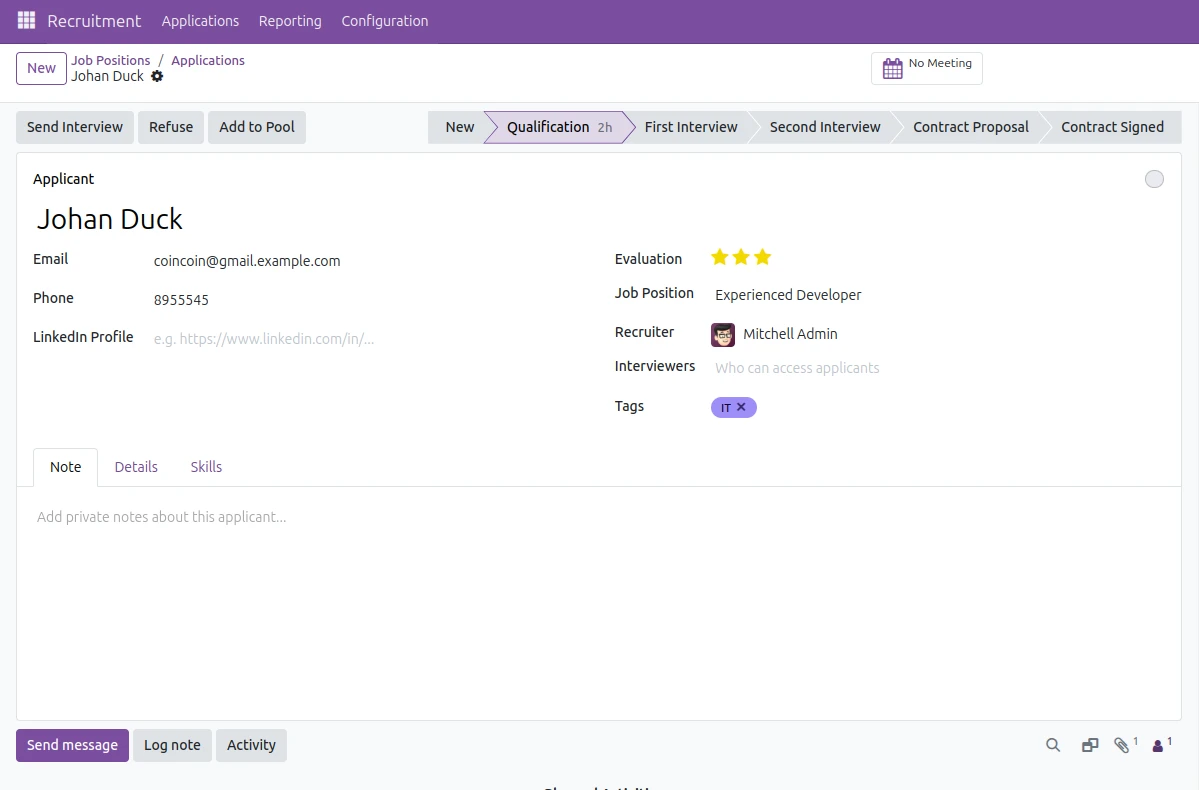
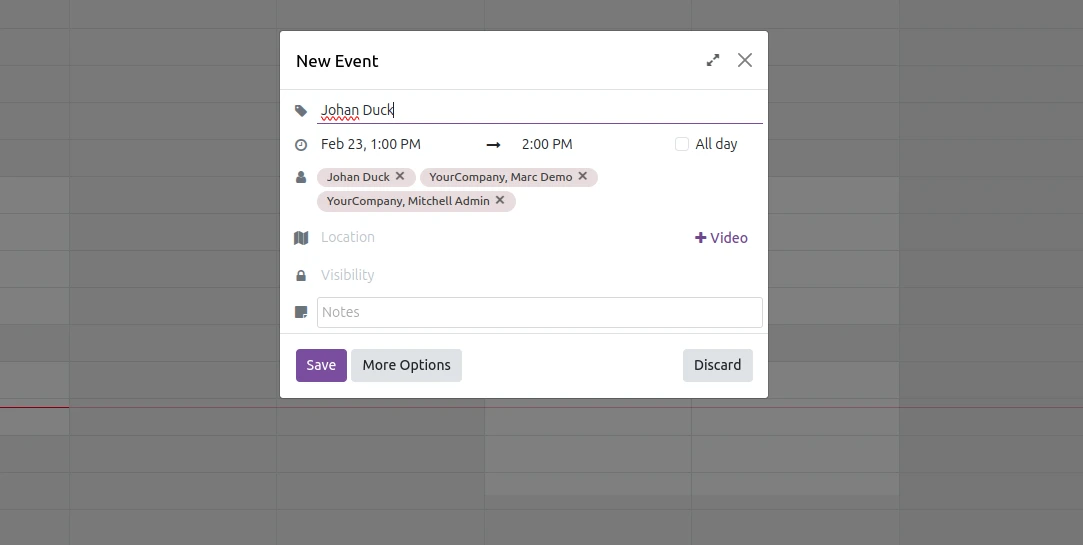
In Odoo, when you schedule an interview with an applicant, you'll automatically have a calendar event created, and you can invite the interviewer as well as the candidate from the More Options button.
Tracking of Skill Levels and Evaluation
You can define the skills and skill levels that employees have within Odoo 19 under: Employees → Configuration → Skills
Recruitment allows you to assign skills to candidates and rate their proficiency levels (for example) during the interview process. This is particularly helpful when hiring technical positions where there is a lot of structure behind how to evaluate a candidate's qualifications. After the hiring process is complete and the employee is hired, the data that you collected on both the evaluation and employee skill level will automatically be transferred into the Employee module.
Make Job Offers
When a candidate reaches the final stage in the recruiting process, as a recruiter you can: Create an offer letter, send a contract proposal, Define the salary structure.
If you are using Payroll, Use an email template as an offer of communication to the candidate. Once the candidate has accepted the offer, you will change their status to Hired. If the candidate has rejected the offer, you will update their status to Refused and send them a rejection email using one of the predefined templates.
Convert Applicant to Employee
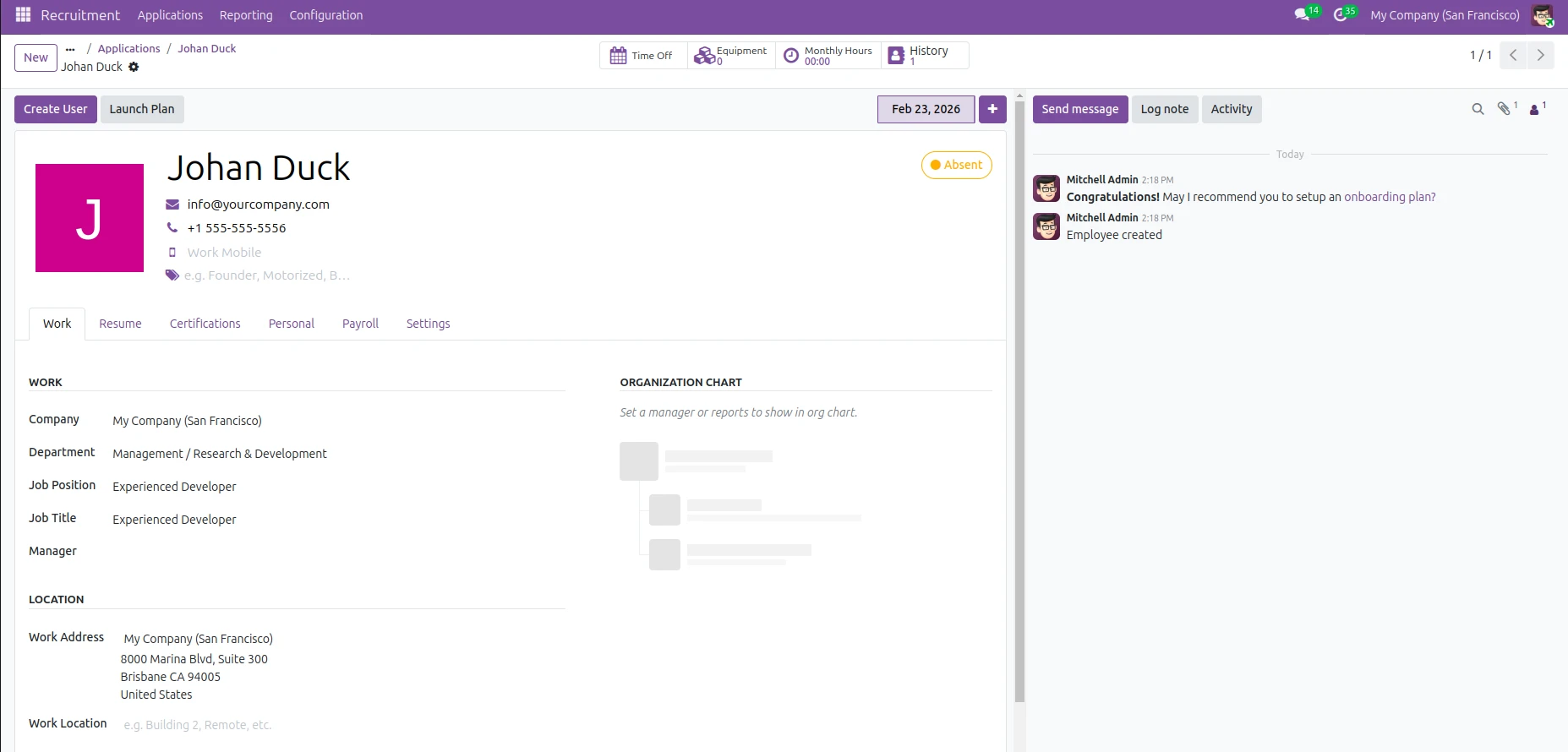
One of the best features in Odoo 19 is the easy transition from applicant to employee. When you click Create Employee on the applicant form, the following occur: Employee information is auto-filled into their employee profile All of the candidate's resumes and documents transfer over as well Job position and department are linked All of the candidate's Skill level data is retained in the new employee record
Duplicate data entry is avoided, as well as keeping HRS an ongoing operation.
-
Once created, the employees are now part of the Employees module and can integrate with other modules for: Attendance Payroll Leave management
Reporting and Analytics
Odoo provides recruitment analytics to assess the effectiveness of the hiring process. Some measures that can be tracked are:
-
Time to hire Efficiency of source used
-
Recruitment funnel conversion percentage
-
Interview success percentage
-
Recruiter efficiency metrics
These reports help managers improve hiring practices and reduce costs related to recruiting.
Customization and Automation
Customization capabilities of Odoo 19 allow for advanced customization options, such as:
-
Customized recruitment phases
-
Automated email triggered events
-
Activity scheduling rules
-
Customized interview form formats
-
Role-based access to data
Some examples would include:
-
Automatically assigning follow-up activities after first interview completion.
-
Sending potential employees, a rejection email when they have moved to the Refused stage of the recruitment process.
-
Restricting salary information from displaying to employees other than HR management.
For those companies that have specific processes, an extension can be done using Odoo Studio or custom development within the module. Job Application from the Website Odoo 19 provides the ability to modify job application forms through the website building tool. You can: Create custom fields (i.e., Experience, Projected Salary) Add screening questions to the form Change layout of the form Enable/disable fields on the form to be a required field.
Odoo 19 has a comprehensive Recruitment Management Module (RMM). The RMM is not just an applicant tracker; it’s a complete hiring ecosystem linking together with Recruiting, Employee Management, and Payroll systems.
With its Kanban-based pipeline, Visibility is improved; confusion is reduced by integrated communication; Decision-making is enhanced through structured evaluations; and you save Time with automated workflows.
For growing companies, the RMM turns recruiting from an unorganized process that can be scattered throughout emails and spreadsheets into a structured, measurable, and professional process.
Done correctly, Odoo 19 can help your company move recruiting from a manual HR function to a Strategic Business function.


.jpg )


Leave a comment